
no originGET https://api.example.com/me
200 OK 142 ms · 1.2 KB
{ "id": 42, "email": "ada@example.com" }
Free and open source · macOS, Windows, Linux
Relay sends real HTTP, GraphQL, gRPC, WebSocket and MCP requests — and can replay them the way Chrome would: Origin, credentials, CORS preflight, CSP connect-src. Catch the bug before your frontend does. No account, and nothing leaves your machine.
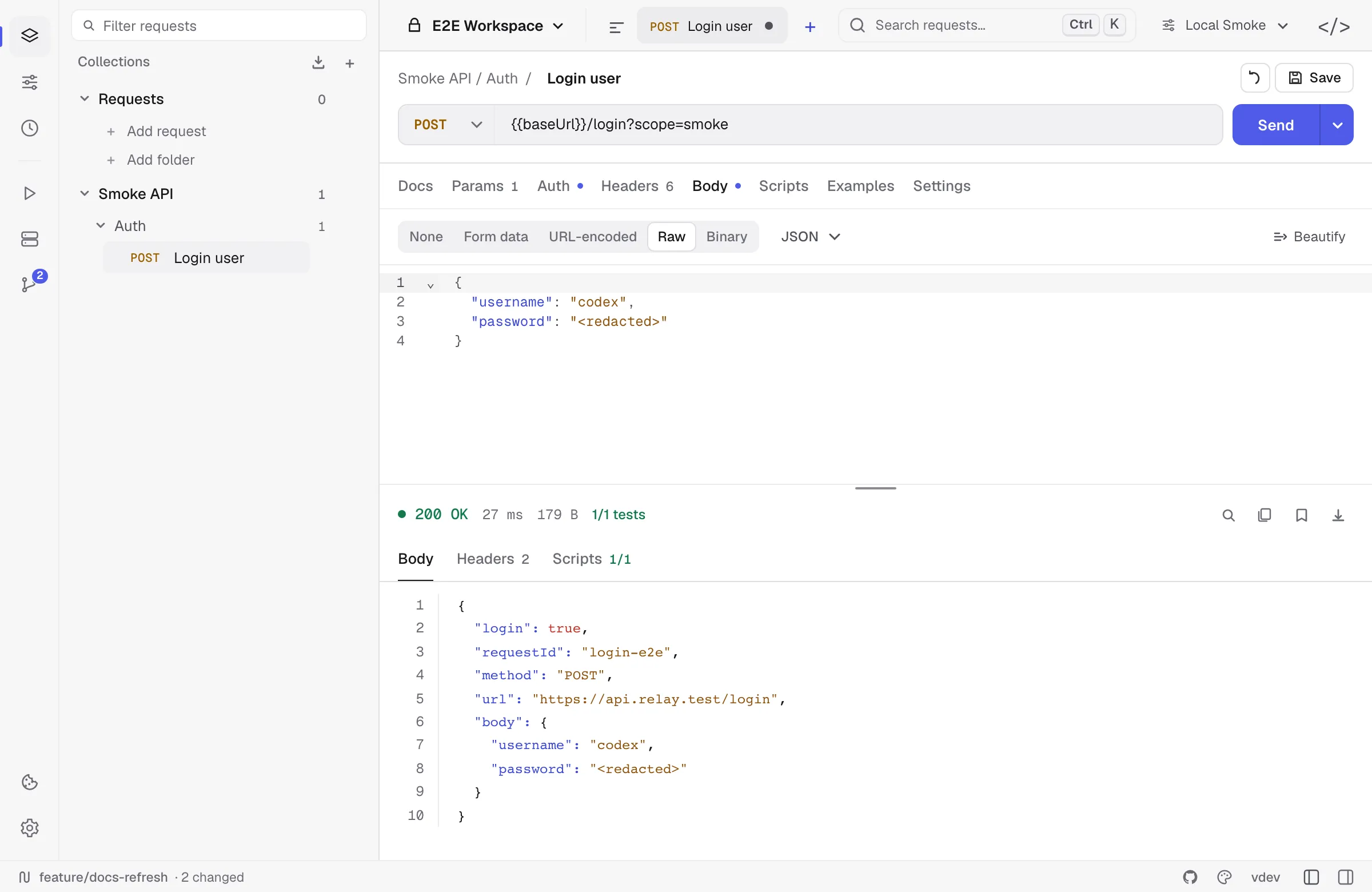
API clients are not browsers, so they skip the checks that break your frontend. Give Relay the page’s origin and it sends the preflight, applies the credentials rules and checks the response the way the Fetch spec says — then tells you, in one line, why the browser would refuse.
no originGET https://api.example.com/me
200 OK 142 ms · 1.2 KB
{ "id": 42, "email": "ada@example.com" }
https://app.example.com · credentialsSent when the method or headers are not safelisted. Status, methods, headers and Max-Age are validated — no redirects, no cookies.
Cookies are held back cross-origin unless you include them, and a wildcard origin is rejected the moment you do.
Paste the page’s policy. Relay blocks the request before it connects and checks every redirect again.
A browser User-Agent, Origin and Sec-Fetch-Site, -Mode and -Dest, worked out from scheme, host and port.
CSP error: request to https://api.stripe.com violates connect-src 'self' https://api.example.com for origin https://app.example.comHow browser emulation works →Everything runs on your machine. Nothing here needs a team plan.
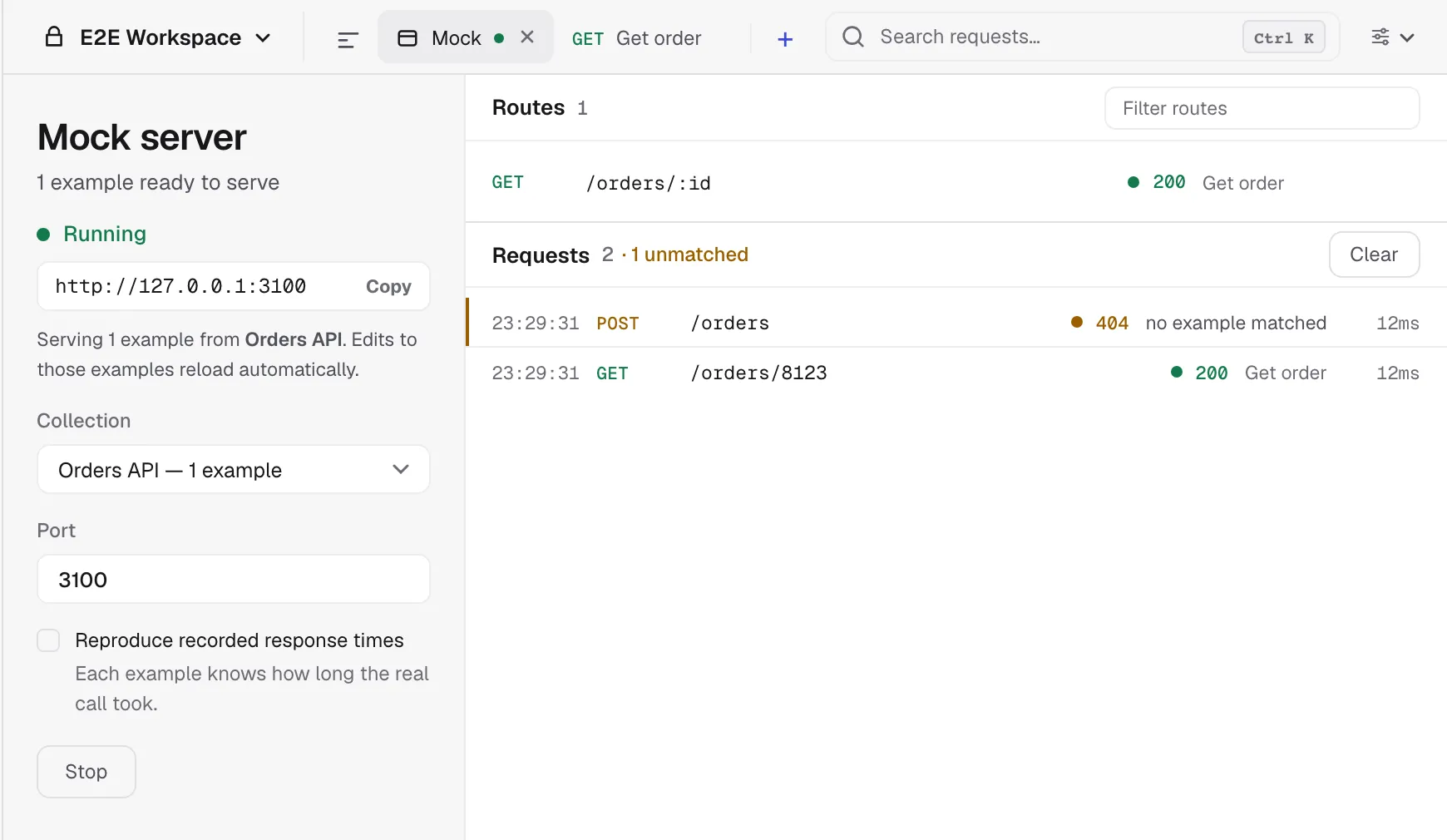
Capture real responses as examples, pick a port and start serving. Path templates and query values decide which example answers, and every call your app makes shows up in the log beside it.
How the mock matches requests →Requests live as readable YAML next to the service they call. Commit, pull and switch branches from the app; tokens never land in the diff.
The Relay YAML format →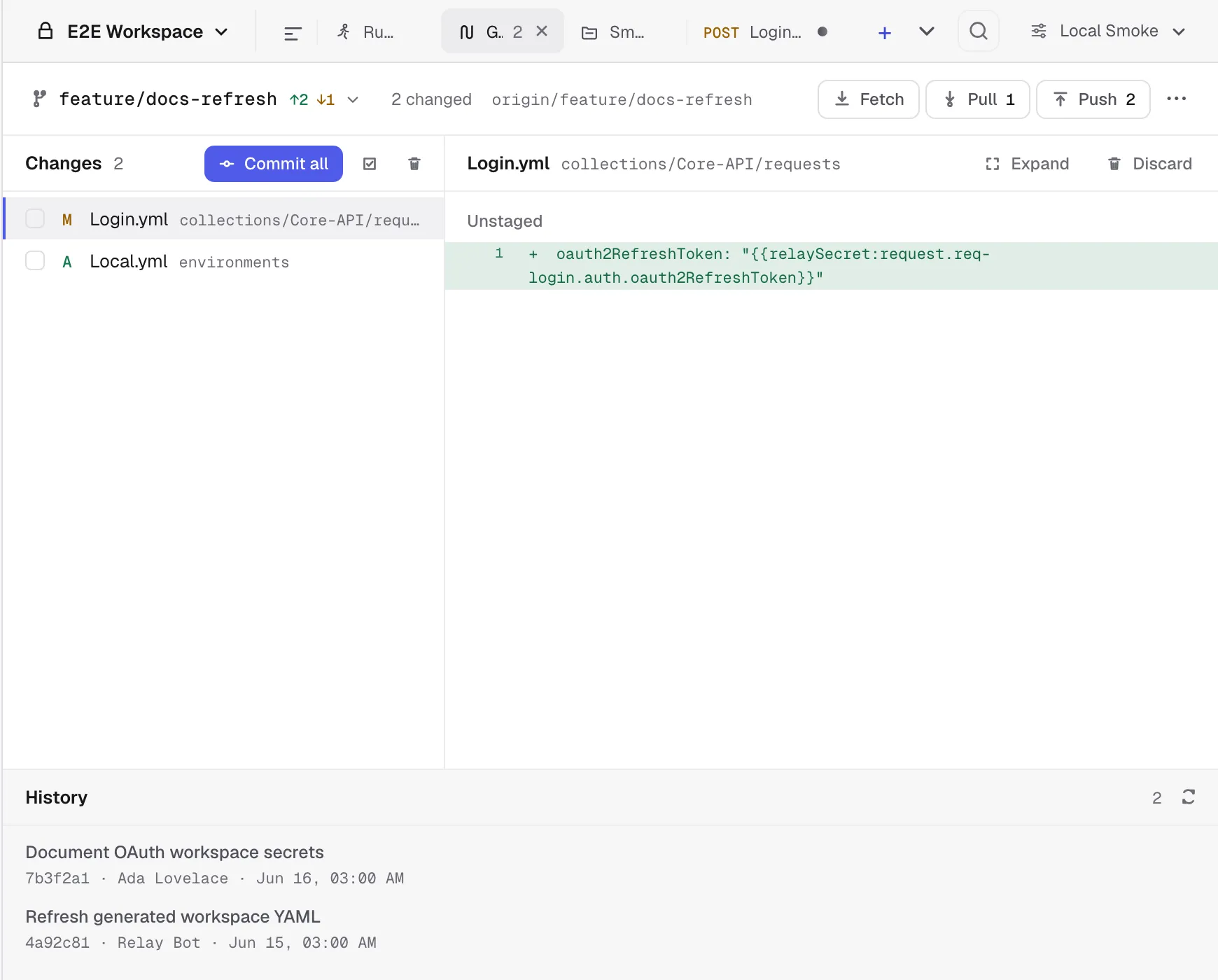
The desktop app is the CLI. relay run executes the workspace from your repo with the same requests, pm.* scripts and collection auth — and a failed assertion fails the build. JUnit and JSON reporters included.
$ relay run ./api --env CI --reporters cli,junit
✓ GET  https://api.example.com/health → 200  42ms  [2/2 tests]
✓ POST https://api.example.com/login  → 200  88ms  [1/1 tests]
2 requests, 2 passed, 0 failed · 3/3 assertions · 131msOpen it and send. There is no Relay backend to log in to, and no seat to pay for.
No analytics, no crash reports. The network carries your requests, Git, OAuth and update checks — nothing else.
Your profile and secrets use AES-256-GCM, keyed through the operating system’s credential store.
Drop in your export and keep going — your pm.* scripts keep running.