
Cookies
How Relay stores, sends, edits, and disables cookies.
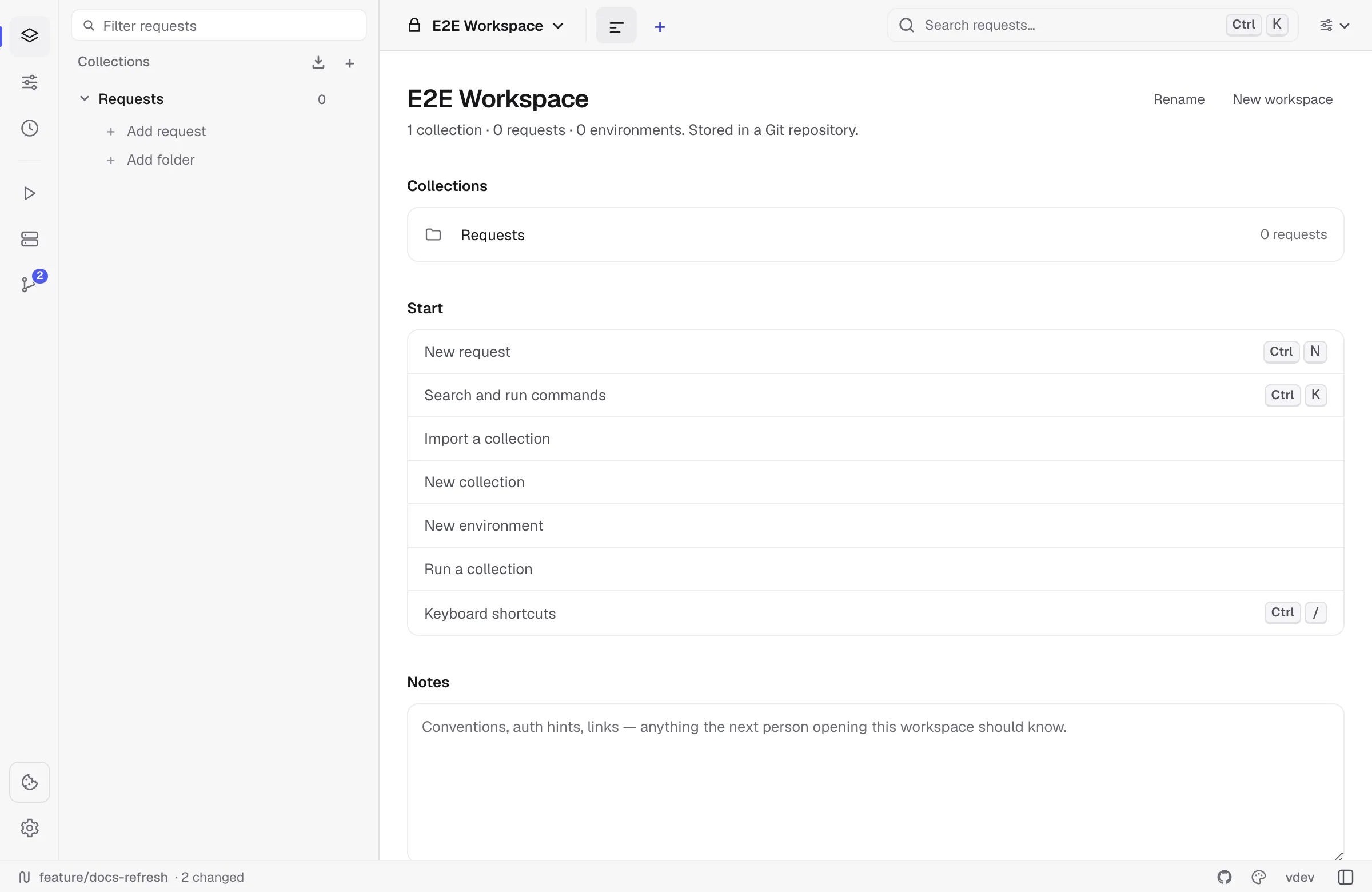
Relay keeps a per-workspace cookie jar, similar to a browser. Cookies received from Set-Cookie are stored locally and attached to future matching requests unless that request disables the jar.
How cookies are sent
For HTTP, GraphQL, SSE, WebSocket, and Socket.IO handshakes, Relay checks the cookie jar before sending:
- Domain and path must match the request URL.
- Secure cookies are only sent over secure schemes.
- Expired cookies are ignored.
- Host-only cookies stay scoped to their original host.
- Manual
Cookieheaders remain visible in the request preview and are not hidden by the jar.
gRPC does not use the browser-style cookie jar path.
Reading cookies from responses
When a response includes Set-Cookie, Relay stores it in the active workspace jar. The jar is encrypted alongside the rest of the request store.
Cookies are refreshed after normal sends and after Collection Runner runs.
Managing cookies
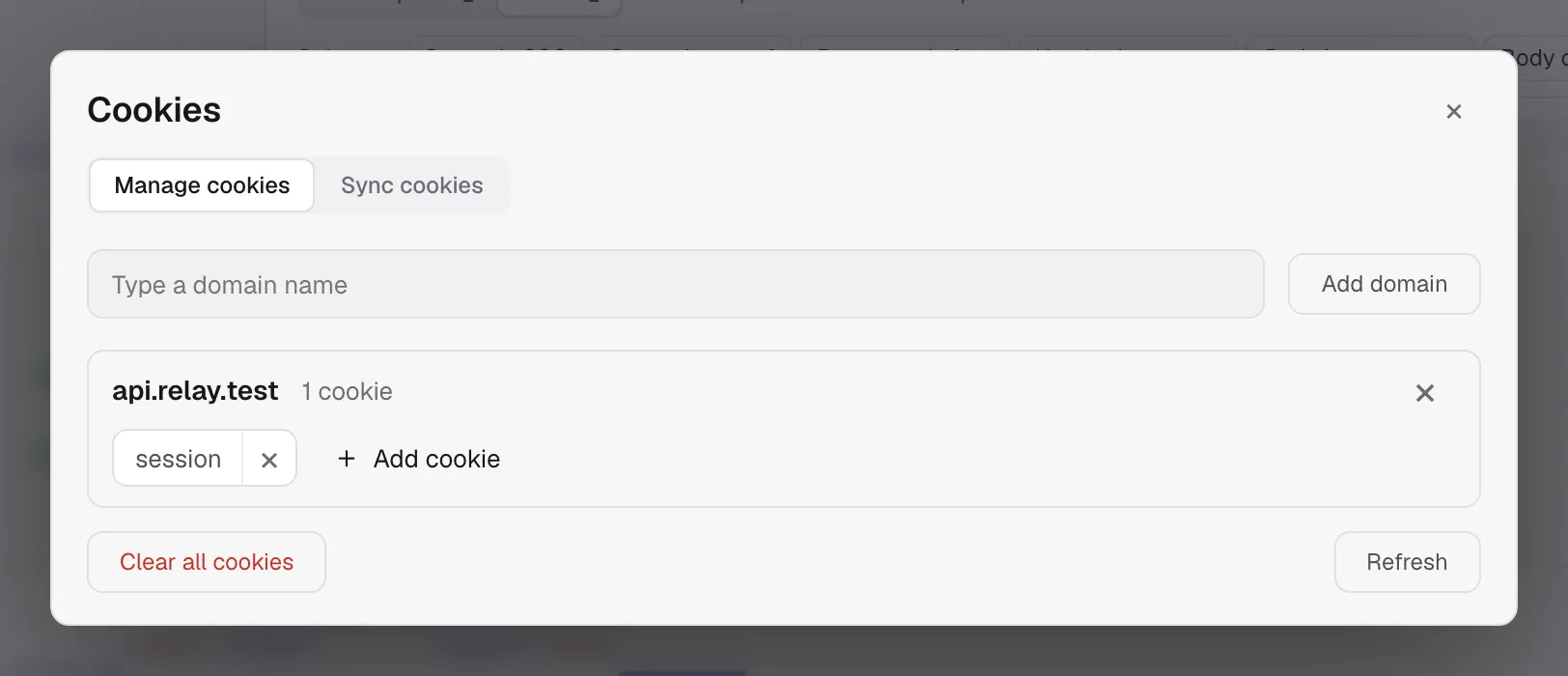
Open the cookie modal from the cookie icon at the bottom of the activity rail, on the far left of the window. You can:
- Filter by domain.
- Add a domain manually.
- Add or edit a raw cookie string.
- Delete one cookie.
- Delete all cookies for a domain.
- Clear the entire jar.
Raw cookie input accepts standard Set-Cookie style syntax:
session=abc123; Path=/; Secure; HttpOnly; SameSite=LaxDisabling the jar for one request
Open the request Settings tab and turn off Use the cookie jar. Relay will not store cookies from that response and will not attach jar cookies to that request.
You can still send a manual cookie:
Cookie: debug=true; session=manualThis is useful when reproducing a production request exactly from a copied cURL command.
Sync cookies from your browser
The Sync Cookies tab pairs Relay with a browser extension, so a session you already
have in Chrome, Edge, Brave or Firefox is the session Relay sends with. It is the local
answer to copying a Cookie: header out of DevTools after every login.
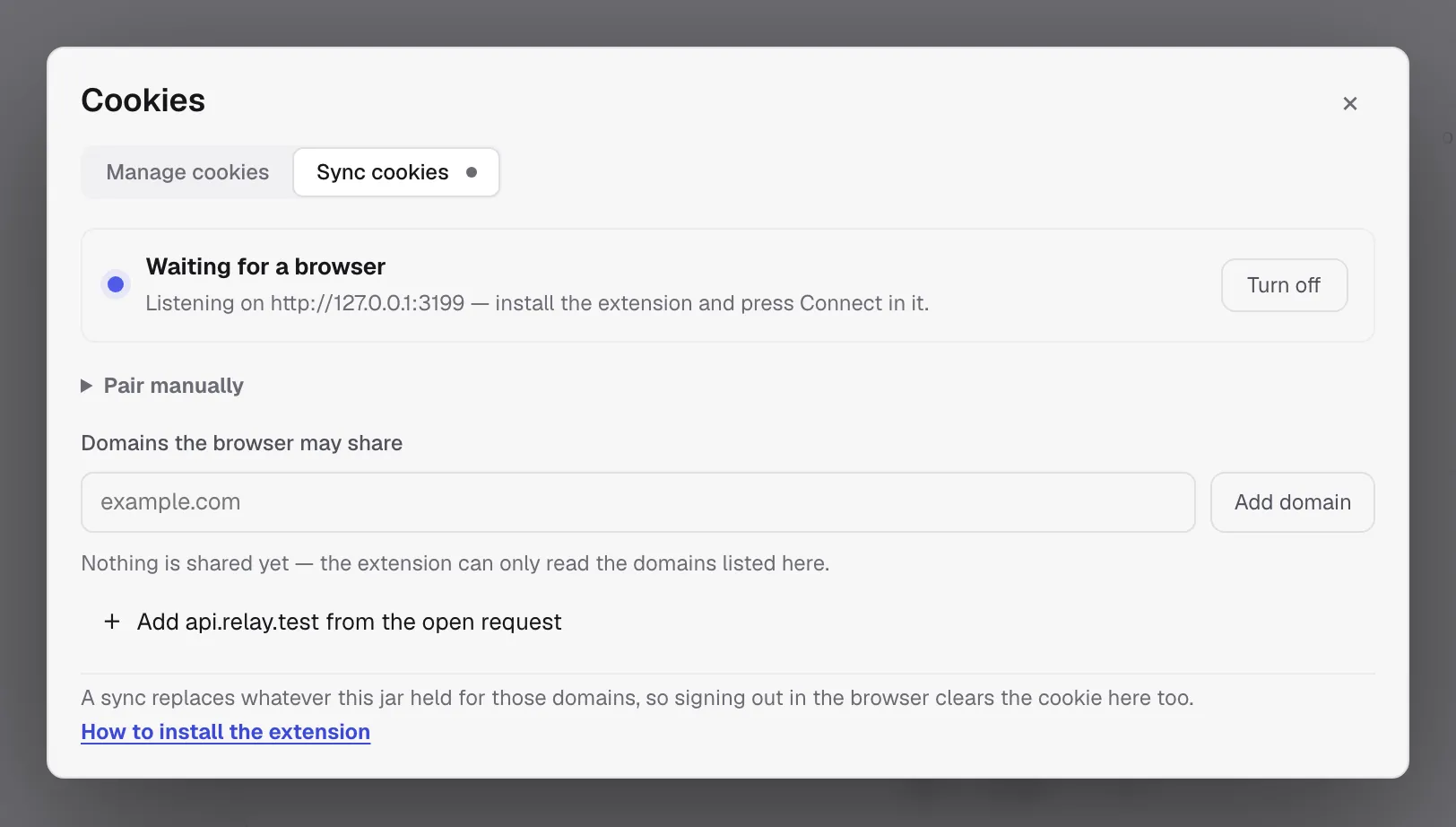
Cookies flow one way — browser into Relay — and three separate gates stand in front of them:
- The bridge has to be on. Turn on opens a listener bound to
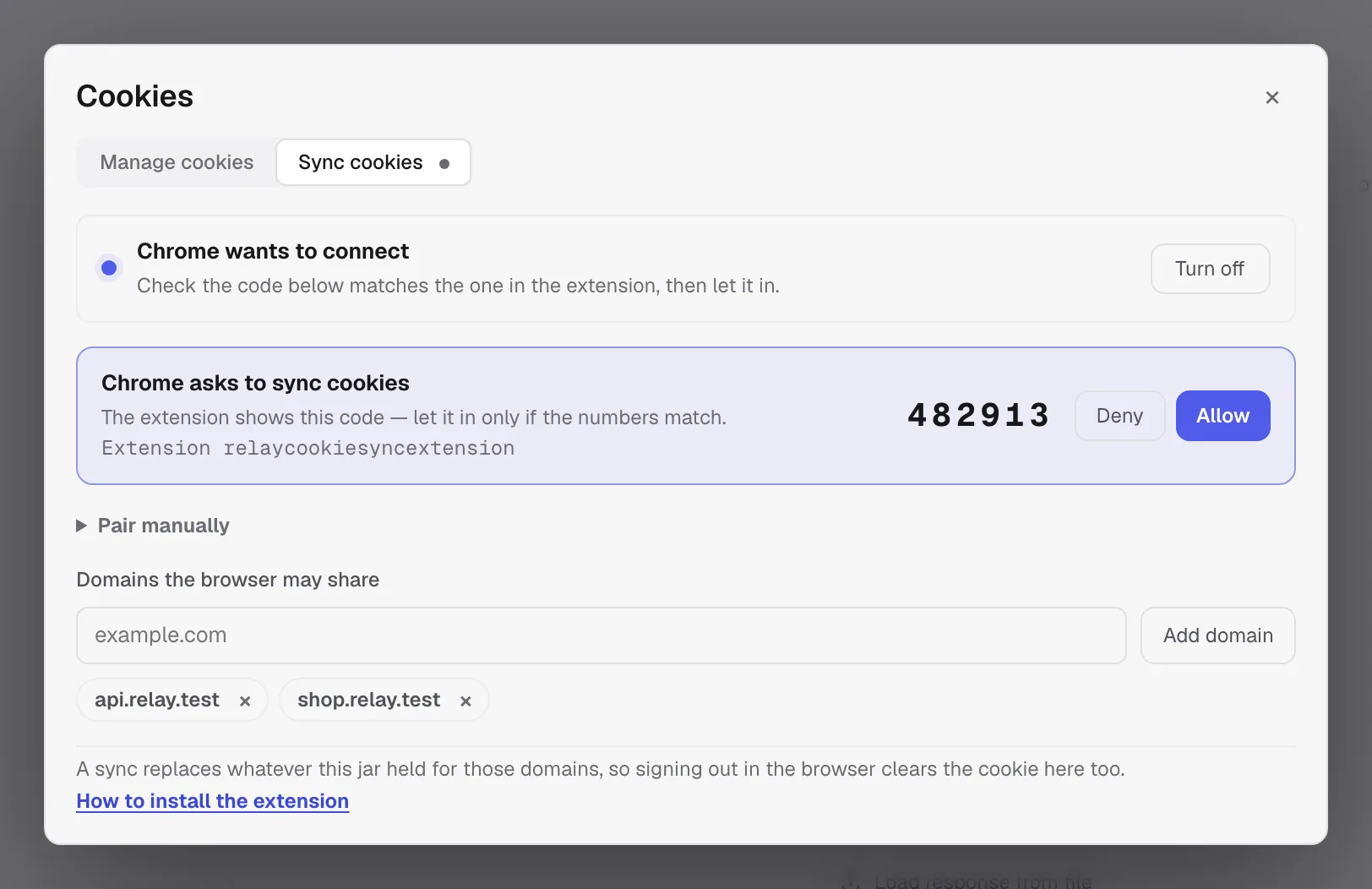
127.0.0.1(port 3199 by default). Nothing listens until you ask for it. - You have to let the browser in. The extension finds Relay by itself and asks to connect; Relay shows the request with a six-digit code and the extension shows the same code. Approve it only if the numbers match — that is what stops anything else on the machine from being approved in its place.
- The domain has to be allowlisted twice. Relay only accepts cookies for the domains listed in the tab, and the browser only lets the extension read the domains you grant in its popup. A domain missing from either list is never read and never sent.
A domain that cannot hold cookies of its own — a public suffix like com or co.uk — is
refused with an explanation rather than accepted and quietly ignored.
Connecting a browser
- Turn on Sync Cookies in Relay.
- Install the extension from the Relay repository (
apps/extension, loaded unpacked):chrome://extensions→ Developer mode → Load unpacked. - Open the extension and press Connect. It scans ports 3199–3203 for Relay’s bridge.
- Approve the request in Relay once the codes match. Relay hands the extension a token; from then on it reconnects on its own and never asks again.
- Press Grant domain access in the extension and accept the browser’s prompt, so it may read the allowlisted domains.
Pair manually in both places is the fallback for when discovery cannot work — a non-default port, say. The code it shows carries the port and the token, so treat it like a password.
What a sync does to the jar
Once connected, the extension holds an open WebSocket to Relay, and the two directions of traffic are:
- Live changes. Every cookie the browser sets, updates or clears for an allowlisted domain is pushed as it happens, so a fresh login shows up in Relay within a second.
- Reconciliation. On connect and every five minutes the extension sends a full snapshot of the allowlisted domains. A snapshot is authoritative: Relay replaces everything the jar held for those domains, which is how a cookie you cleared while the browser was closed disappears here too. Domains the snapshot does not cover are left alone.
- Allowlist updates. Add or remove a domain in Relay and the extension is told immediately — no polling, and removing a domain stops it being read at once.
A cookie you typed by hand for a synced domain is replaced by the browser’s view of it.
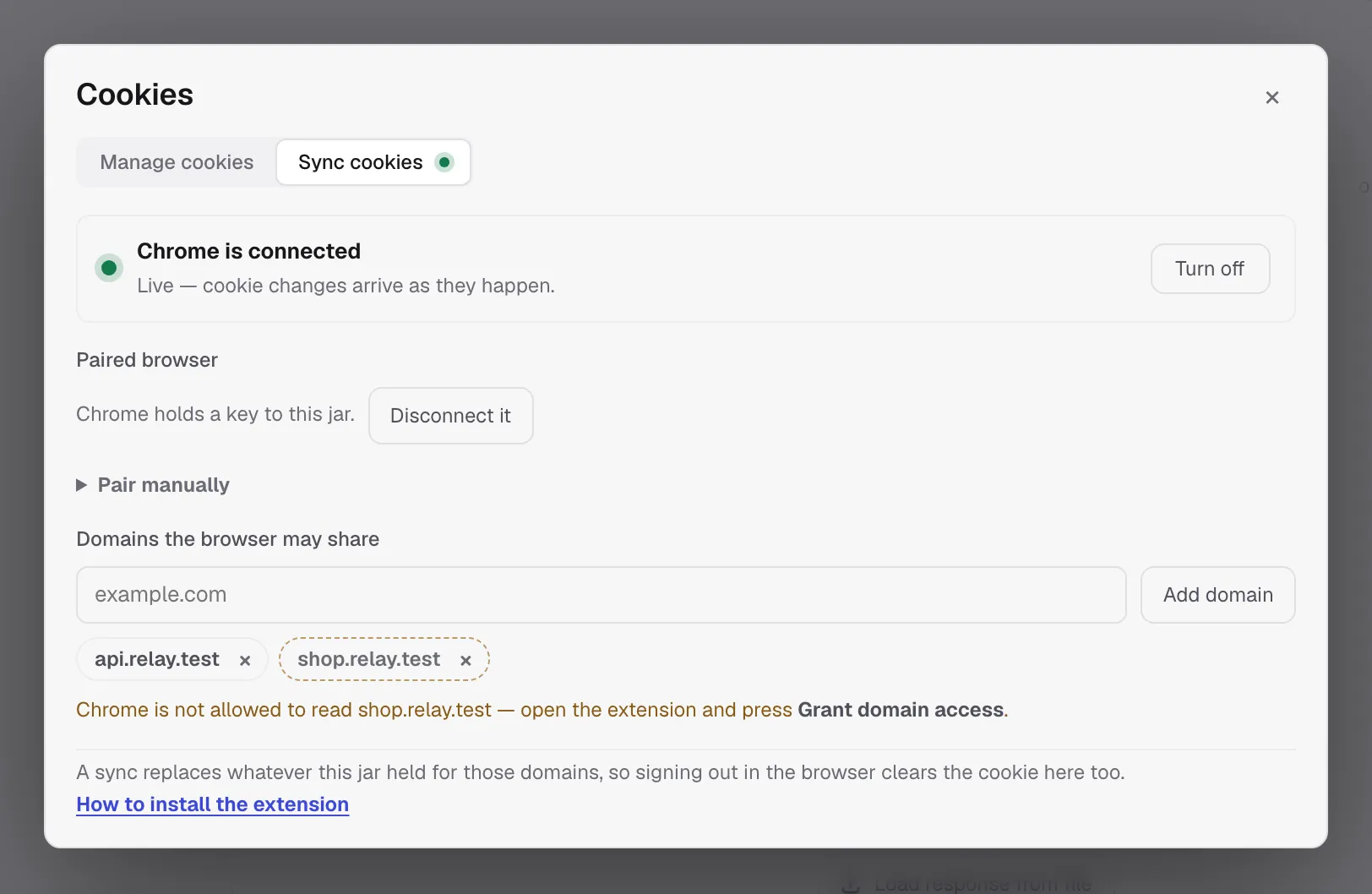
Cookies land in the jar of the workspace you have open, and follow you when you switch workspaces. The bridge closes when Relay quits and reopens on the next start if you left it on; the token is kept, so the browser reconnects on its own.
Disconnect it mints a new token, which drops the browser immediately. Relay tells the extension that this is what happened, so it drops its own token and asks to connect again rather than retrying with a key that no longer works. The extension’s Forget does the same from the other side.
When it will not sync
- Nothing on the allowlist. The extension is told there is nothing to read.
- Permission not granted. The extension reports only the domains it could actually read, so a domain it cannot read is left out of the snapshot instead of looking empty and clearing the jar. Relay marks those domains in the tab and names them, rather than leaving you to wonder why nothing arrives.
- Relay is closed or sync is off. The extension retries with a backoff and reconnects when the bridge comes back.
Browser emulation and CORS
Browser request emulation can apply Origin, user-agent, CORS, and CSP checks, but it does not move cookies into a browser. Cookies remain in Relay’s local jar and follow Relay’s request settings.
If Browser request emulation and Use the cookie jar are both on, the request preview shows which headers come from emulation and which cookie header comes from the jar.
Backup and privacy
Cookies are included in all-data backups and in the encrypted local request store. Collection exports do not include the runtime cookie jar.
Cookie sync adds one local surface: a loopback-only HTTP listener, off unless you turn it on,
reachable only with the pairing token. The token and the sync allowlist live in
preferences.json next to the request store; no cookie leaves the machine, and the browser
extension talks to 127.0.0.1 and nothing else.
If you need to remove sensitive cookies, clear them from the cookie modal or clear request history/all data from Settings.