
Code generation
Copy the current HTTP request as a runnable snippet in one of 14 targets.
The Code side panel turns the currently-open request into a runnable snippet. Open it with the code-snippet icon in the status bar, the workspace overview quick action, or the right-sidebar shortcut from Keyboard shortcuts.
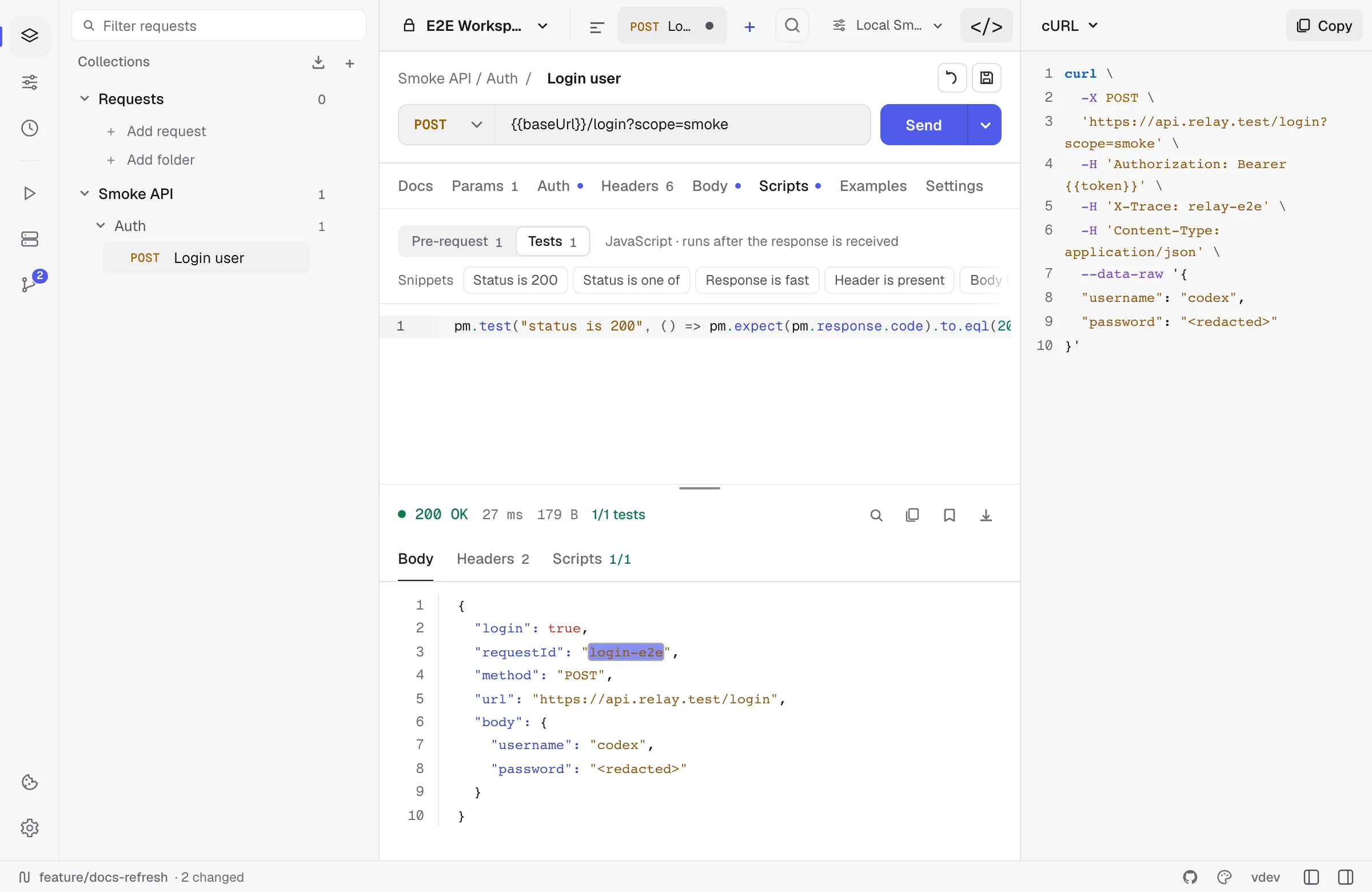
Supported targets
Relay currently exposes 14 choices:
| Family | Targets |
|---|---|
| Command line | cURL, HTTPie |
| JavaScript | JavaScript fetch, Node.js fetch, Axios |
| General purpose | Python requests, Go net/http, Java OkHttp, C# HttpClient |
| Additional clients | PHP cURL, Ruby Net::HTTP, Swift URLSession, Kotlin OkHttp, Rust reqwest |
What gets generated
Snippets are generated from the currently open HTTP/GraphQL request:
- Non-secret variables are expanded from the active environment and collection variables.
- Secret variables stay as
{{name}}placeholders so copying a snippet does not silently disclose them. - URL params, enabled headers, and supported bodies are represented.
- Bearer, API key, Basic, and OAuth 2.0 auth are emitted in every language. Basic becomes an
Authorization: Basic …header; an OAuth 2.0 request carries the access token Relay currently holds, and the snippet says so, because that token expires. - cURL goes further where curl itself can:
-ufor Basic,--digestfor Digest, and--aws-sigv4with the access key for AWS Signature v4, so the copied command signs itself rather than carrying a signature that is already stale.
What’s omitted
- Pre-request scripts. Snippets show the wire-level request, not the steps that produced it. If your auth depends on a token fetched in a script, copy that call separately.
- Test scripts — they’re a Relay concept, not a client concept.
- Digest and AWS Signature v4 outside cURL. Neither can be written as a fixed header — Digest answers a challenge, SigV4 signs each request — so the snippet opens with a comment saying which scheme it is and what to reach for in that language, rather than looking complete and returning 401.
- Binary and multipart file handling varies by target; cURL has the most complete file-body output.
:::caution Treat generated snippets as a starting point and review them before sharing. Literal auth values already present in the request, such as a Bearer token or API key, can appear in the output. :::
Copy + paste workflow
The button copies to clipboard and shows a toast. There’s no “save snippet to file” affordance — by design, snippets are throwaway artefacts for sharing in bug reports and chat threads.