
Keyboard shortcuts
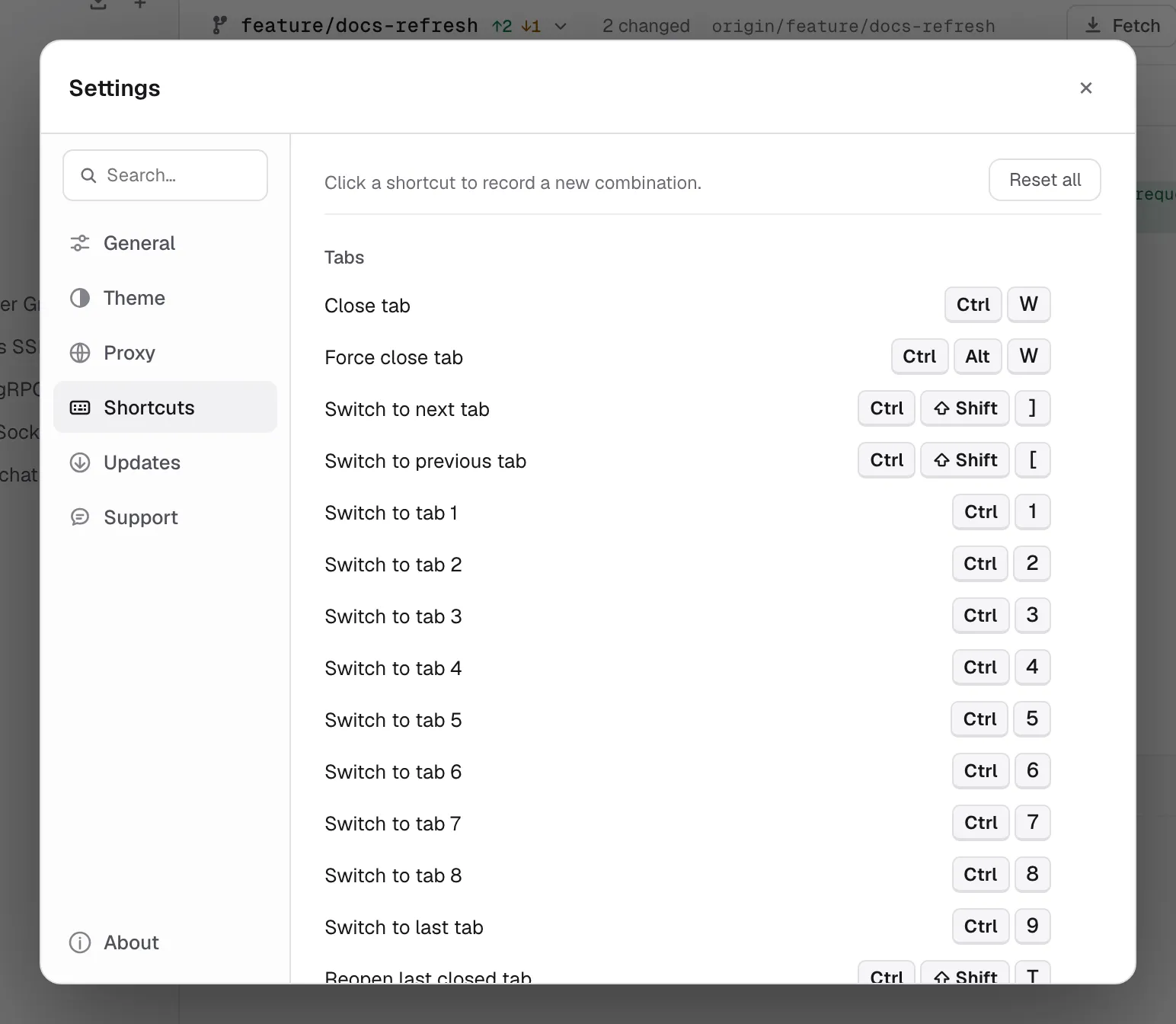
Default key bindings for Relay. All shortcuts can be remapped in Settings → Shortcuts.
On macOS Relay displays Cmd shortcuts with ⌘. On Windows and Linux the same defaults display and run as Ctrl, with modifiers in the usual Ctrl → Alt → Shift order. Shortcuts follow the physical key, so they keep working on a Cyrillic, Greek or any other non-Latin layout.
Every shortcut is rebindable from Settings → Shortcuts. Click any shortcut chip, press the new combo, done. Reset all to factory defaults with the Reset all button.
Global
| Shortcut | Action |
|---|---|
| Cmd/CtrlK | Command palette — search saved requests and run commands |
| Cmd/Ctrl, | Open settings |
| Cmd/Ctrl\ | Toggle sidebar |
| AltCmd/Ctrl\ | Toggle right sidebar / code snippet panel |
| Cmd/Ctrl= | Zoom in — make the whole interface larger |
| Cmd/Ctrl- | Zoom out |
| Cmd/Ctrl0 | Reset zoom to 100% |
| Cmd/Ctrl/ | Open shortcut help |
Requests
| Shortcut | Action |
|---|---|
| Cmd/CtrlN | New HTTP request |
| Cmd/CtrlL | Focus the request URL |
| Cmd/CtrlW | Close current tab |
| AltCmd/CtrlW | Force close current tab |
| ShiftCmd/CtrlT | Reopen last closed tab |
| Cmd/CtrlEnter | Send request |
| Cmd/CtrlS | Save request |
| Cmd/Ctrl1 … Cmd/Ctrl8 | Switch to tab 1–8 |
| Cmd/Ctrl9 | Switch to the last tab, whichever number it is |
| ShiftCmd/Ctrl[ / ShiftCmd/Ctrl] | Previous / next tab |
Two more work without a binding and cannot be remapped: Enter in the URL field sends the request — or connects a WebSocket, Socket.IO or SSE request — and a middle click on a tab closes it.
Sidebar
| Shortcut | Action |
|---|---|
| Cmd/CtrlF | Search sidebar |
| ↑ / ↓ | Previous / next sidebar item |
| → / ← | Expand / collapse selected item |
| Alt→ / Alt← | Expand all / collapse all |
| Cmd/CtrlE | Rename selected item |
| Cmd/CtrlD | Duplicate selected item |
| Cmd/CtrlC / Cmd/CtrlV | Copy / paste selected item |
| Backspace | Delete selected item |
The arrow keys and Backspace leave the sidebar alone while a text field, the response body, a dialog, a menu or a tab bar has focus — there they scroll, edit or move between choices instead.
Remapping
Settings → Shortcuts lists every action with its current binding. Click a shortcut, press the desired key combination, and the new binding is saved immediately. Assigning an existing combination unassigns it from the previous action. Reset all restores the default table. On Windows a binding can use the Windows key, and on Linux the Super key; they show as their own keys rather than as Ctrl.
The send shortcut also sends the message from the WebSocket, Socket.IO and gRPC message editors, and a rebound send shortcut works there too.