
Scripting
Pre-request and test scripts in JavaScript or Tengo — inject headers, assert responses, set variables.
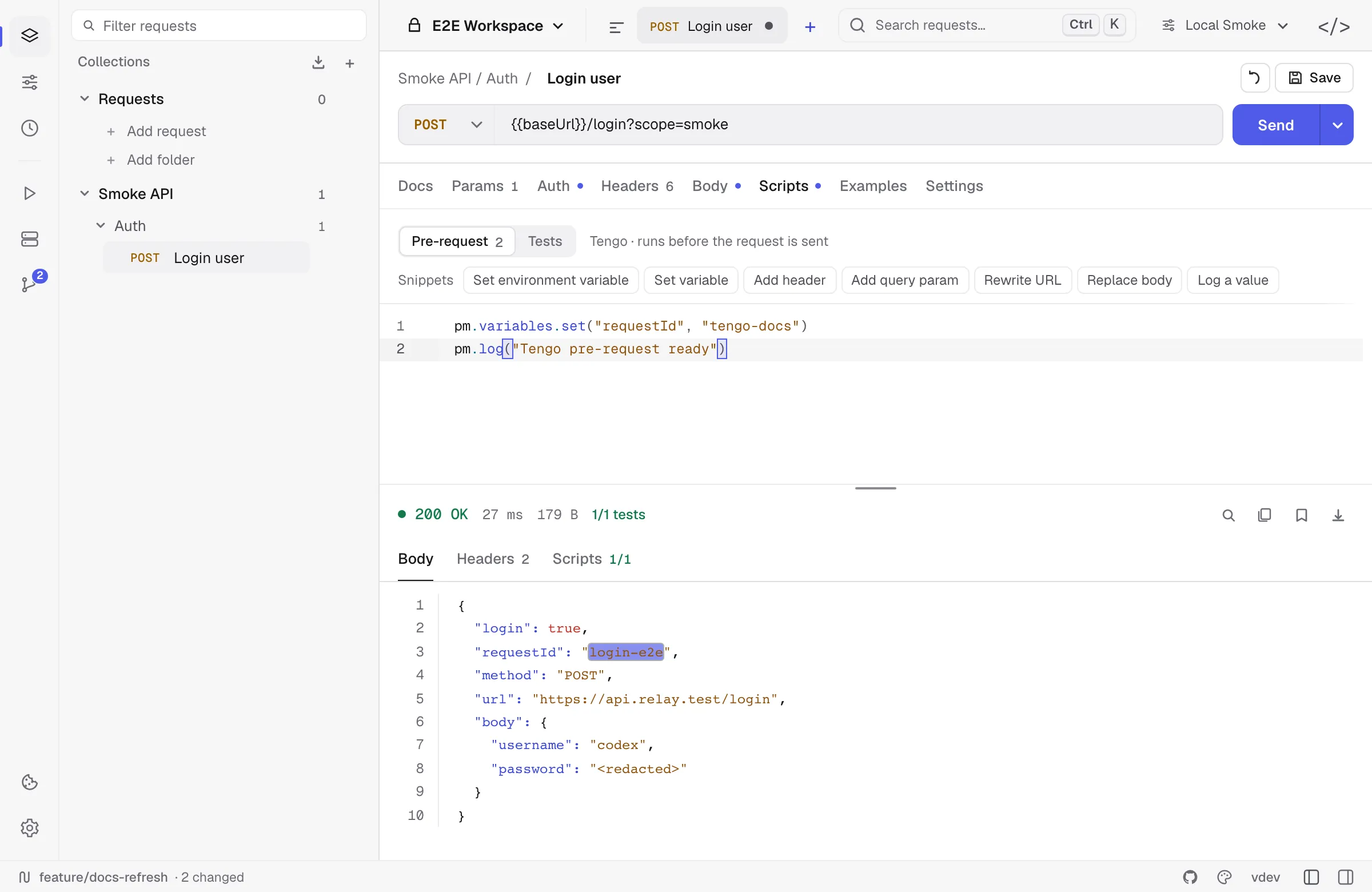
Relay scripts run in a sandboxed JavaScript VM by default. Existing requests can still use the legacy Tengo engine. Both engines expose the same pm.* API and execution caps at 2 seconds.
There are two script hooks per request:
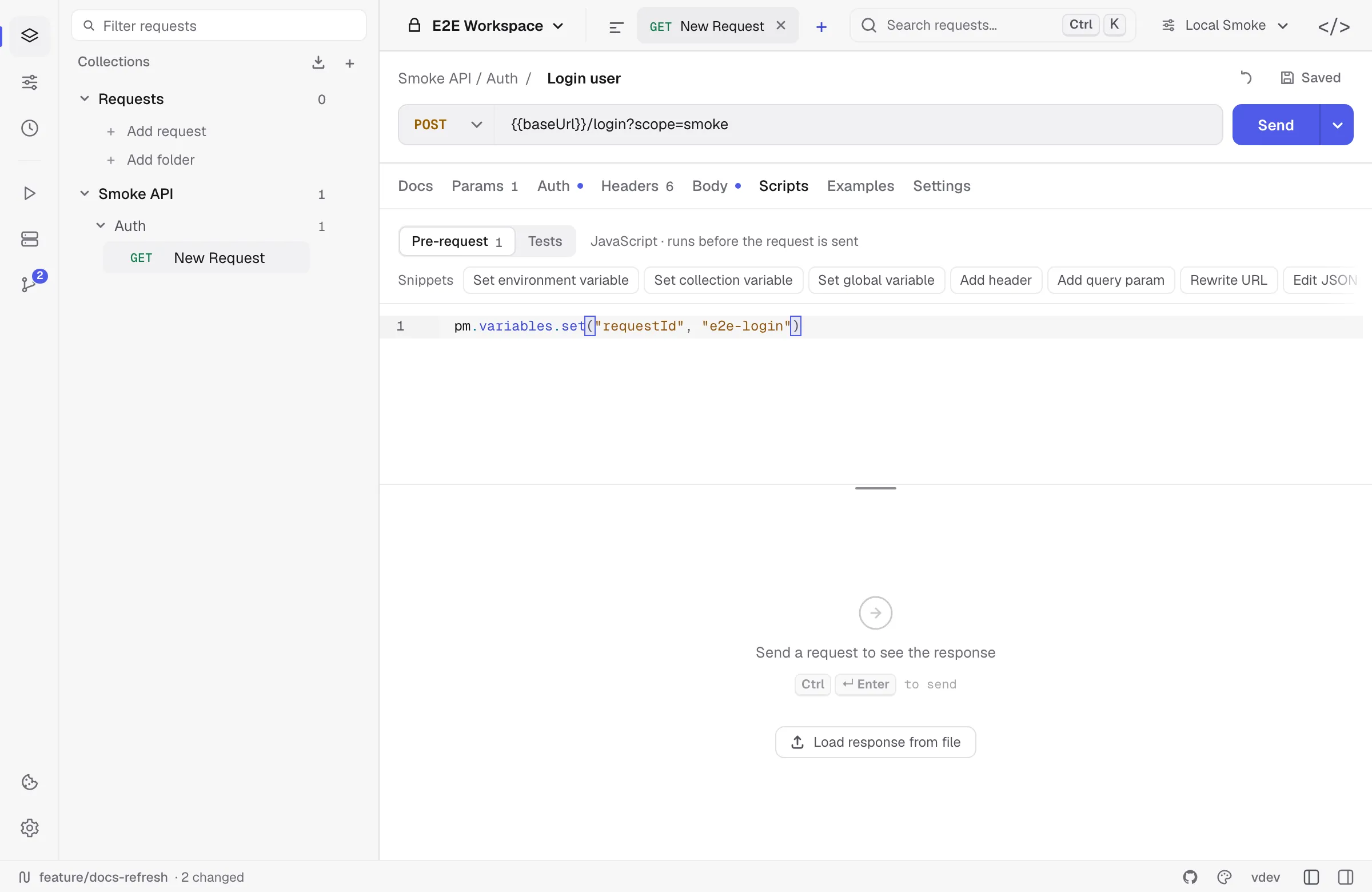
- Pre-request — runs after variable substitution, before the wire send. Use it to inject auth, set query params, log inputs.
- Tests — runs after the response is received. Use it to assert and to extract values for chained requests.
Anatomy of a pre-request script
// Set a trace header for every requestpm.request.headers.set("X-Trace", "relay-" + pm.variables.get("runId"))
// Override the URL conditionallyif (pm.environment.get("region") === "eu") {  pm.request.set_url("https://eu.api.example.com" + pm.request.url)}
Anatomy of a test script
pm.test("status is 200", () => pm.response.to.have.status(200))pm.test("response under 500ms", () => pm.expect(pm.response.responseTime).to.be.below(500))
const body = pm.response.json()pm.test("has user id", () => pm.expect(body.user).to.have.property("id"))pm.test("role is admin", () => pm.expect(body.user.role).to.equal("admin"))
// Persist for downstream requestspm.environment.set("userId", body.user.id)pm.log("captured userId:", body.user.id)
Test results appear in the response Scripts panel with pass/fail counts.
Snippets
The Snippets row above the editor inserts working code at the end of the current script — setting a variable, adding a header, editing or signing the body, asserting a status, checking a JSON schema. The list follows the active engine, so Tengo requests get Tengo snippets. Hovering a snippet shows the code it will insert.
Building the request body
A pre-request script can read and rewrite the body that goes on the wire, which is what request signing needs:
const payload = pm.request.body.json()payload.nonce = pm.crypto.randomHex(8)pm.request.body.update(JSON.stringify(payload))pm.request.headers.set("X-Signature", pm.crypto.hmacSha256(pm.request.body.raw, pm.environment.get("secret")))See pm.request.body for the details, including how binary file bodies behave.
Common patterns
Chained auth — fetch token in pre-request: put the login call in a separate request, run it once, persist the token with pm.environment.set("authToken", ...). Downstream requests reference {{authToken}}. To do it inline instead, turn on Allow pm.sendRequest in the request’s Settings tab, call pm.sendRequest and store the token with pm.environment.set("authToken", ...) — a value a pre-request script stores is already used by {{authToken}} in the same request.
Conditional skip: pm.execution.skipRequest() in a pre-request script skips the send. It is reported as a skip rather than a failure, so a conditional request does not fail a run or a CI exit code.
Schema checks: pm.response.to.have.jsonSchema(schema) validates the body against a JSON Schema. tv4 and require("ajv") are available for collections that were written against those.
Logging: pm.log(...) writes to the Scripts panel. Output is per-request and cleared on next send.
Limits
- 2-second wall clock per script by default, configurable per request up to 60 seconds.
- No module imports, process access, filesystem access, or direct network sockets.
requireresolves only Relay’s bundled stand-ins —lodash,ajv,tv4,uuid,crypto-js,chai. - Scripts make HTTP calls only through
pm.sendRequest, and only when the request opts in. - Tengo uses expression-style assertions:
pm.test("status", pm.response.code == 200). - JavaScript supports Postman-style callbacks:
pm.test("status", () => pm.response.to.have.status(200)).
See the full method reference in Scripting API.