
Authentication
Configure Bearer, Basic, Digest, API Key, OAuth 2.0, and AWS Signature v4 auth.
Auth is configured per request on the Auth tab. Collections can also define default auth; requests set to Inherit auth use the collection default, while requests with an explicit auth type override it.
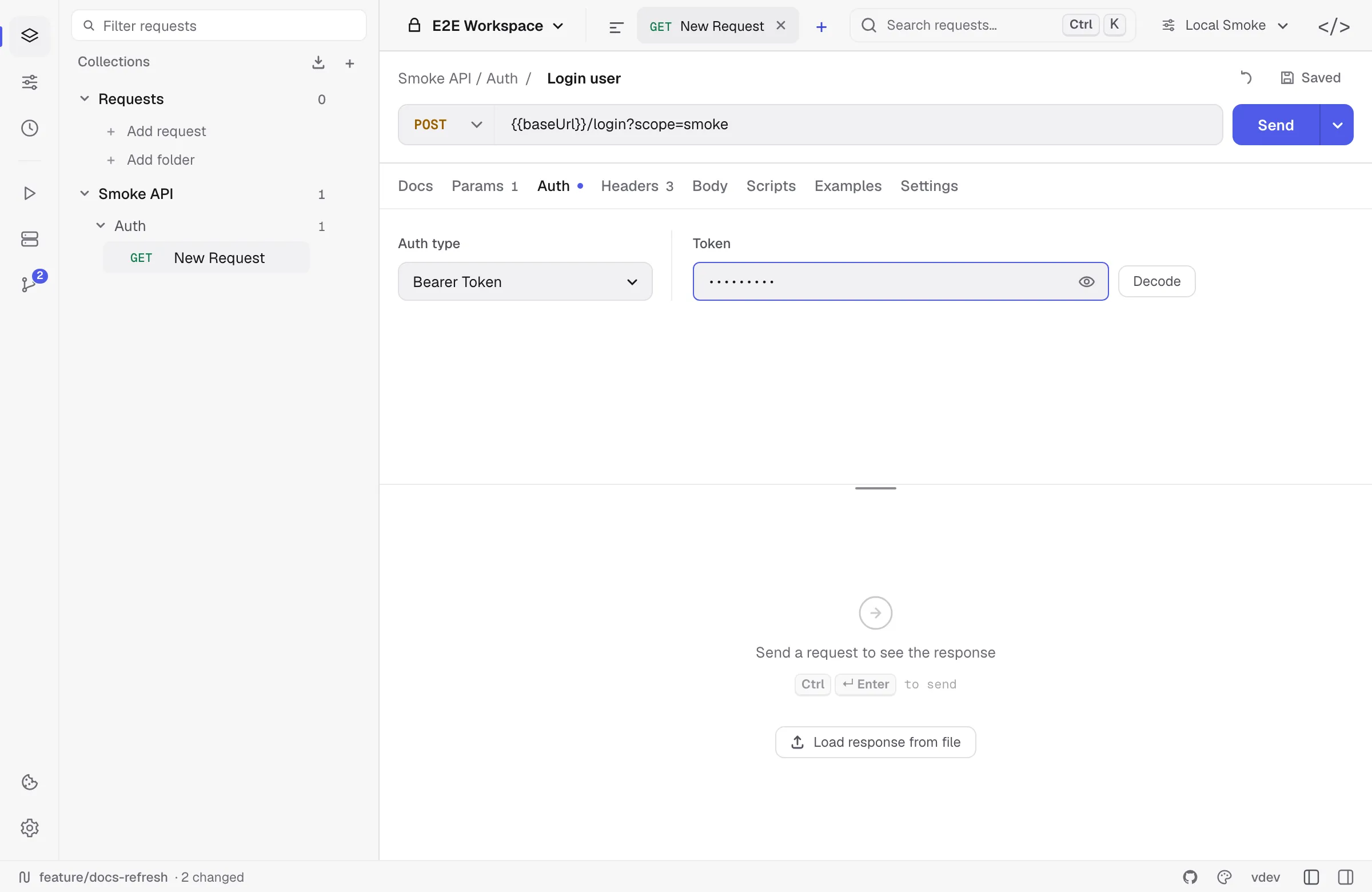
Bearer token
The simplest case: paste the token, Relay sends Authorization: Bearer <token>. Use {{tokenVar}} to pull from an environment.
Basic Auth
Username + password. Relay base64-encodes for you.
Digest Auth
Relay sends the first request unauthenticated, parses the WWW-Authenticate header, and replays with the digest. No configuration beyond username/password.
Supported algorithms (RFC 7616): MD5, SHA-256, SHA-512-256, and their -sess session variants. Relay echoes the algorithm token back exactly as the server named it. Both qop=auth and qop=auth-int work — when a server offers both, plain auth is used so the body never has to be buffered. Servers that advertise userhash=true get a hashed username. A challenge with no qop falls back to the legacy RFC 2069 form.
qop=auth-int signs the entity body, so the whole body has to be hashed before the request goes out; a body over 32 MB, or one that cannot be re-read, fails with a clear message instead.
API Key
- In header — choose the header name (
X-API-Key,apikey, etc.). - In query string — appended on send, not stored in the URL.
OAuth 2.0
Relay supports four grant types, picked from Grant type:
- Client credentials — enter the token URL, client ID, client secret, and optional scope, then click Get access token.
- Authorization code — enter the authorization URL, token URL, client ID, optional client secret, and scope, then click Authorize in browser. Relay opens the system browser and receives the callback through a temporary loopback listener on
127.0.0.1. - Device code (RFC 8628) — enter the device authorization URL, token URL, and client ID, then click Start device sign-in. Relay shows the user code, opens the verification page, and polls the token endpoint until you approve. It honours the server’s
intervaland backs off onslow_down. This is the grant to use where a loopback redirect cannot work — a headless machine or a remote session. - Password — the RFC 6749 resource-owner grant: token URL, username, and password. Legacy by design, but still required by some internal token endpoints.
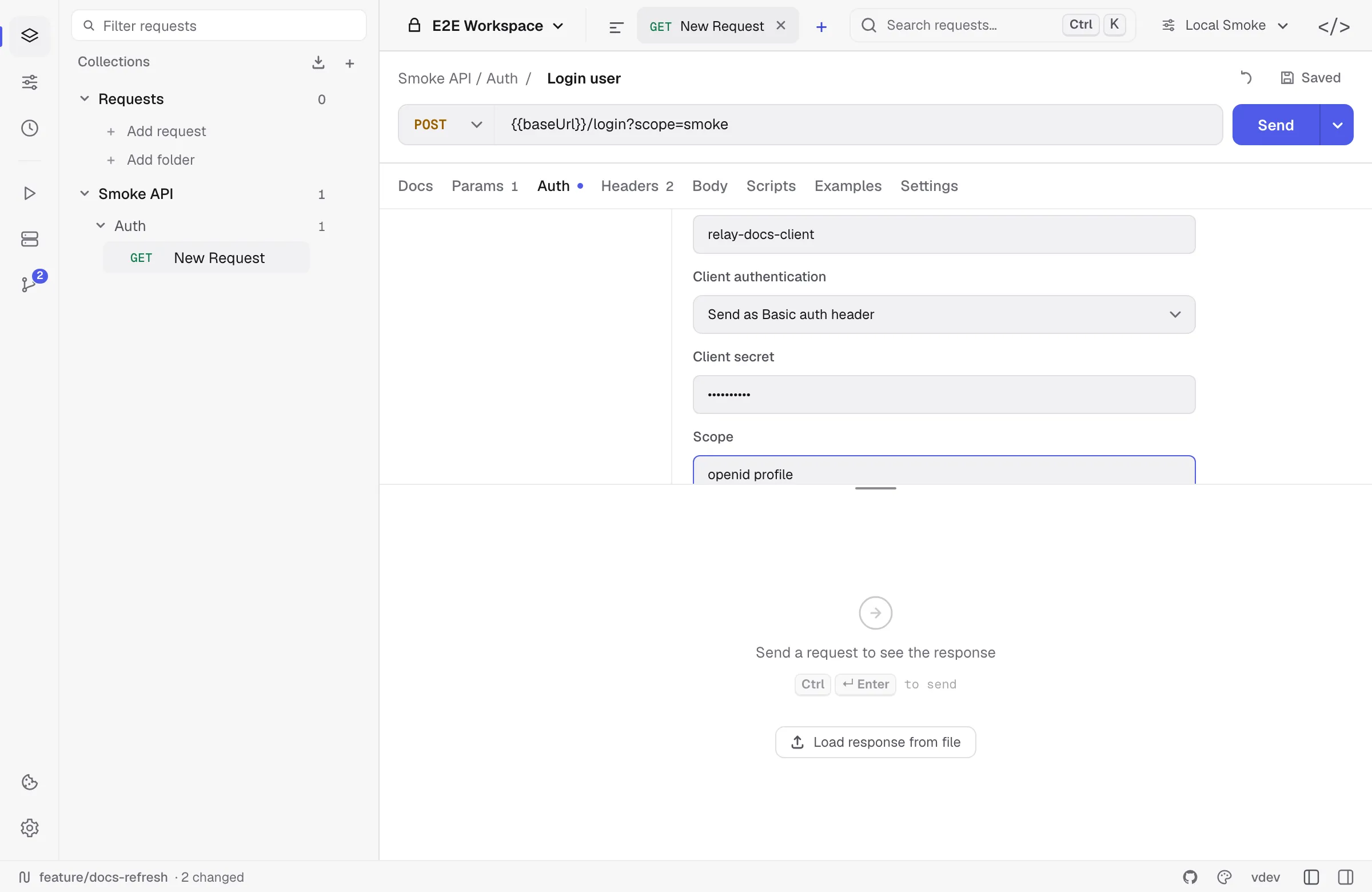
For Authorization Code, Use PKCE is enabled as the recommended option for public clients. Relay uses S256 PKCE. A client secret is optional when PKCE is used.
Client authentication selects how the client identifies itself at the token endpoint:
- Send as Basic auth header — HTTP Basic, the RFC 6749 default when a secret is set.
- Send client credentials in body —
client_id+client_secretas form fields (client_secret_post), which some providers require instead. - Client secret JWT — an RFC 7523 assertion signed with the client secret (HS256).
- Private key JWT — an RFC 7523 assertion signed with an RSA or ECDSA private key. Paste the key in PEM form (PKCS#1, PKCS#8, or SEC1); the algorithm is inferred from the key unless you set it. The key field accepts a
{{variable}}, so it can live in workspace secrets rather than in the YAML.
For both assertion methods the audience defaults to the token URL, which is what providers expect; override it if yours differs. Assertions are minted fresh per request with a random jti and a five-minute lifetime.
Audience sends an audience parameter alongside the token request. It is not part of RFC 6749 but Auth0 requires it and several other providers accept it.
The acquired access_token is injected as Authorization: Bearer ... on send. If the provider returns a refresh token, Relay exposes Refresh token and automatically refreshes an expired access token before sending a request.
AWS Signature v4
Sign requests to AWS APIs (S3, API Gateway, etc.).
- Access key + secret key (use environment variables, never hard-code).
- Service name (e.g.
s3,execute-api). - Region (e.g.
us-east-1). Relay computes the canonical request, derives the signing key, and addsAuthorization,x-amz-date, andx-amz-content-sha256headers automatically.
Session token covers temporary credentials from STS, an assumed role, or AWS SSO. Relay sends it as x-amz-security-token and includes it in SignedHeaders, which is what AWS requires — a token that is sent but not signed is rejected.
Inheriting auth
A request set to Inherit auth uses the auth configured in the collection defaults. This is useful when an entire collection talks to the same API.
Imported Postman/Insomnia/Bruno folders that have their own auth are flattened into request-level or collection-level settings where Relay can represent them. After a large import, spot-check the Auth tab for the most sensitive requests.
The Auth tab wins over a hand-written header
Auth is applied after your header rows, so a request that has both bearer auth configured and an Authorization header typed by hand sends the one from the Auth tab. The same goes for whatever header name an API key is configured under.
That precedence has not changed, but Relay now says so: the response panel names the header that was replaced, instead of leaving you looking at a row that never went out. To send your own header, set Auth to No auth.
Secrets and storage
Auth fields in Relay’s local profile are encrypted at rest with AES-256-GCM. Relay writes the key to the OS credential store when available and keeps a 0600 recovery-key file in its app-data directory. In Git-backed workspaces, shared YAML receives {{relaySecret:...}} placeholders while the real values remain in the encrypted local profile.
Never paste secrets into request URLs or committed YAML. Prefer secret environment variables or local auth fields.