
Environments & variables
Switch between staging, prod, and local without rewriting every request.
Variables in Relay use the {{name}} template syntax. They expand in URLs, headers, query params, request bodies, and auth fields just before send.
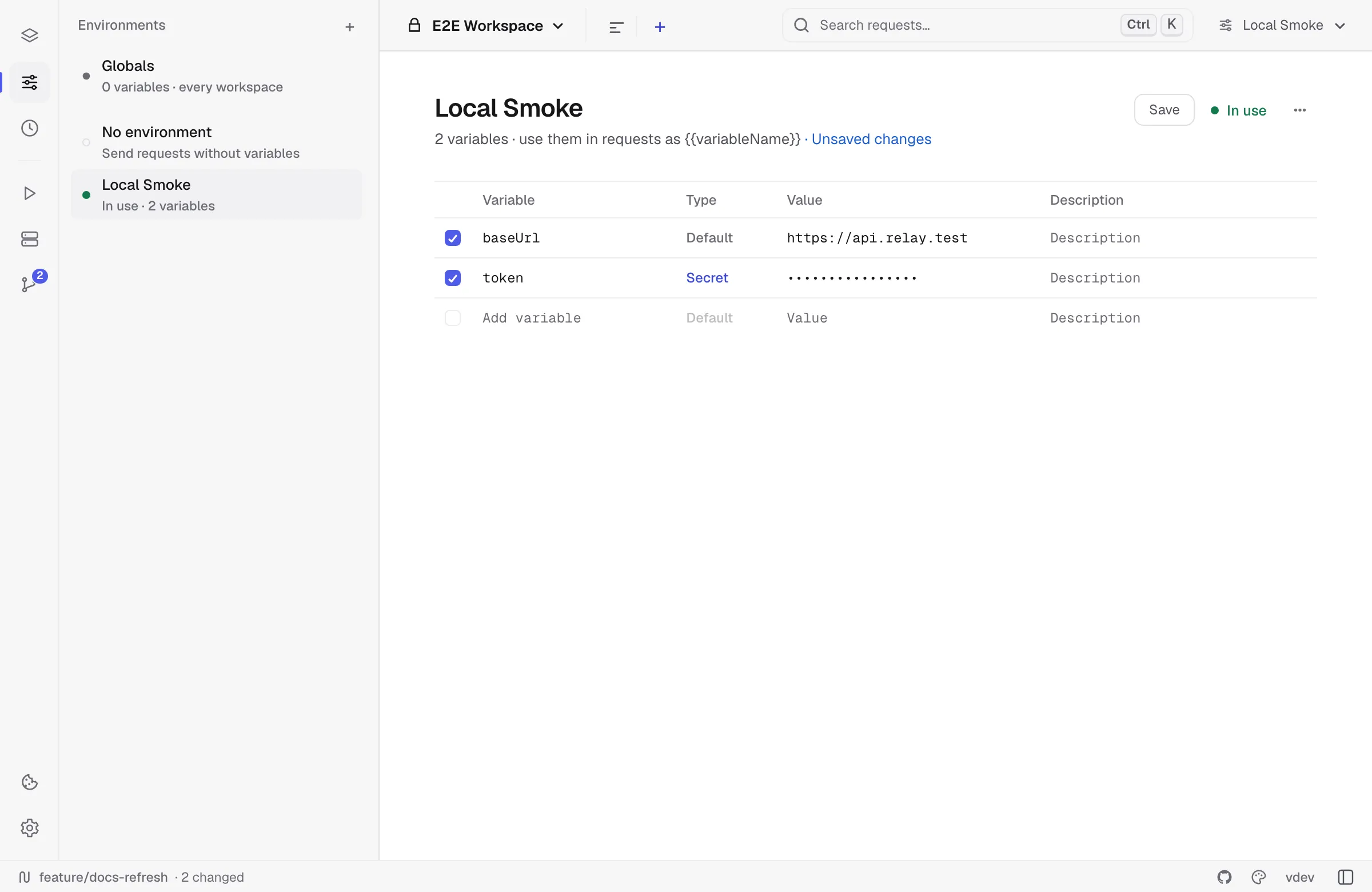
Scopes
A name is looked up in four scopes; when the same name exists in several, the later one in this list wins:
- Globals — Environments → Globals, plus values scripts write with
pm.globals.set(...)orpm.variables.set(...). - Collection variables — defaults saved with the collection.
- Active environment variables — the selected environment for the workspace.
- Data row — the current row of a data file in the Collection Runner or
relay run --data.
If nothing matches, the literal {{name}} is left untouched so the unresolved template is visible.
A name may contain any character except { and } — letters from any alphabet, spaces and colons included — and spaces around it are ignored, so {{токен}}, {{api key}} and {{ token }} all work.
Values written by a pre-request script
A pre-request script runs before the templates are filled in for good. When it stores a value — pm.environment.set("token", ...), pm.collectionVariables.set(...), pm.globals.set(...) — every {{token}} in the same request already uses the new value. The script itself still sees the request as it was resolved before it ran, and edits it makes through pm.request are kept.
Variables built from other variables
A value may itself contain {{...}}, and Relay keeps resolving until nothing changes:
scheme = httpshost = api.example.combaseUrl = {{scheme}}://{{host}}A request pointed at {{baseUrl}}/users goes to https://api.example.com/users. This is the usual way to keep one place to edit when a whole collection moves to staging.
Resolution stops after 20 rounds. A chain that refers back to itself — a = {{b}}, b = {{a}} — keeps its braces rather than looping, so the send fails with an unresolved-variable message pointing at the real culprit.
Dynamic variables
Names beginning with $ are generated at send time and need no environment entry. They match Postman’s names, so imported collections that use them keep working.
GET https://api.example.com/orders?trace={{$guid}}&ts={{$timestamp}}Every occurrence is generated independently — two {{$guid}} in one request produce two different ids. An environment variable with the same name wins, so you can pin one when a test needs a fixed value.
| Group | Names |
|---|---|
| Identity & time | $guid, $randomUUID, $timestamp, $isoTimestamp, $randomDatePast, $randomDateFuture, $randomDateRecent |
| Numbers & text | $randomInt, $randomBoolean, $randomAlphaNumeric, $randomWord, $randomWords, $randomLoremSentence, $randomLoremParagraph, $randomPassword, $randomSemver |
| People | $randomFirstName, $randomLastName, $randomFullName, $randomUserName, $randomEmail, $randomExampleEmail, $randomPhoneNumber, $randomJobTitle |
| Network | $randomIP, $randomIPV6, $randomMACAddress, $randomDomainName, $randomDomainWord, $randomUrl, $randomProtocol, $randomPort, $randomUserAgent |
| Places | $randomCity, $randomCountry, $randomCountryCode, $randomStreetAddress, $randomLatitude, $randomLongitude |
| Business | $randomCompanyName, $randomBankAccount, $randomCreditCardMask, $randomPrice, $randomCurrencyCode, $randomCurrencyName, $randomCurrencySymbol |
| Files & colour | $randomMimeType, $randomFileName, $randomFileExt, $randomColor, $randomHexColor |
The editor’s {{ autocomplete lists them alongside your own variables. A {{$name}} Relay doesn’t implement is left as-is rather than sent as an empty value.
Comparing environments
With two or more environments, the environment page has a Matrix view: every variable of the workspace as a row, every environment as a column, the one in use highlighted. It answers “what is baseUrl in staging?” and “which environment is missing a token?” without opening each environment.
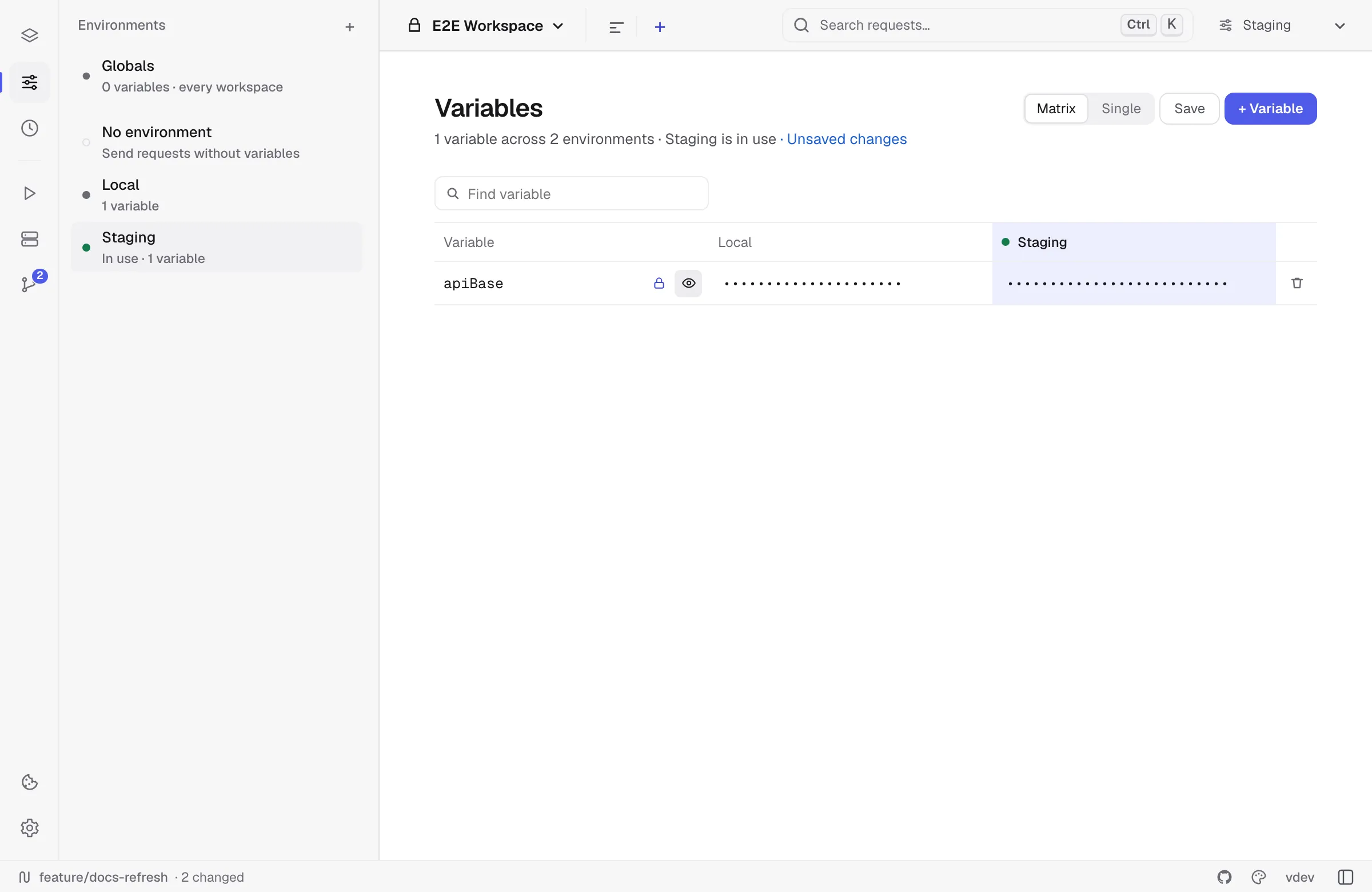
- Type in a cell to change that environment’s value. A cell that says Not set has no such variable in that environment; click it to set one.
- Rename a variable in its row and it is renamed in every environment.
- The lock marks a variable secret everywhere — masking it in one environment and showing it in another would leak it anyway. The eye shows the values while you look.
- + Variable adds a variable to every environment at once, empty; the bin removes it from all of them.
- Click an environment’s name to open it on its own. Single switches back to one environment at a time; Relay remembers which view you used.
Switching environments
Use the environment switcher in the title bar. The active environment is per-workspace — switching to a different workspace remembers its last-used environment.
Setting variables from scripts
// Use in a test script after parsing a login response:const body = pm.response.json()pm.environment.set("authToken", body.access_token)pm.environment.unset("authToken")
// Runtime-scoped:pm.variables.set("traceId", "relay-" + Date.now())
A common pattern: a “login” request fetches a token and stores it under authToken. Every other request uses Authorization: Bearer {{authToken}} and inherits the value.
Secret variables
Mark a variable as secret in the environment editor — its value is masked in the UI and excluded from collection exports. Useful for tokens and keys.
Global variables
Environments → Globals holds variables that apply to every request in every workspace. They are the lowest-priority scope: an environment (or collection) value with the same name wins.
Use them for values that are not tied to one environment — a personal API key, a machine-specific port, or something a script produced that later requests need. Scripts read and write them with pm.globals, and a value written during a send shows up in the editor once the request finishes.
Globals are saved with your local data rather than in the Git-backed workspace YAML, so they do not travel to teammates in a shared repository.
Manual save vs autosave
Environment edits follow the same save mode as requests:
- Autosave on: edits persist after a short debounce.
- Manual save: edits mark the environment dirty and persist only when you save.
Script updates from pm.environment.set(...) are merged back into the active environment after a request or runner execution.